Probot Simulator Access
The Probot simulator allows you to develop and test your ROS 2 applications even when the physical robot is not available.
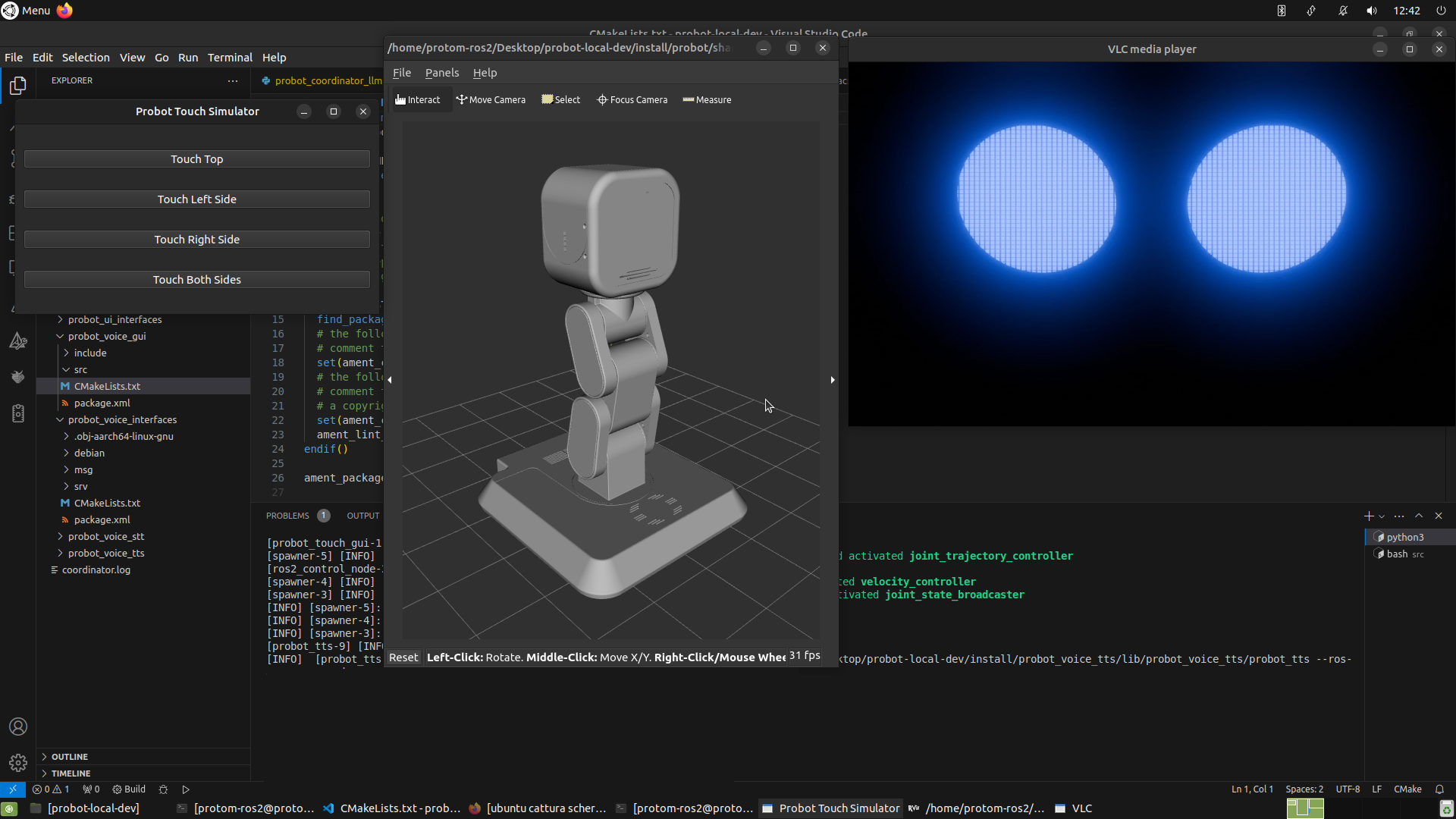
It fully replicates the robot's behavior, making it an essential tool for offline development, validation, and debugging.
How to Get the Simulator
To obtain the simulator package and the installation guide, please contact us by email:
What to Include in Your Request
To help us process your request efficiently, please introduce yourself and include the following information:
- Your full name
- Your role (e.g., student, professor, developer, researcher)
- The activity you're involved in (e.g., hackathon, research project, academic course, prototype, etc.)
- Your goal or intended use
- Name of the university
- Course of study or teaching program
- Country of the institution
- Contact details:
- Personal or institutional email address
- Optionally, an institutional reference (e.g., supervisor, course coordinator)
Example Request
"Hi, I’m John Doe, a computer engineering student at Politecnico di Milano (Italy), currently enrolled in a Robotics and Automation course. I’m working on a final project involving robot control using ROS 2 and would like to access the simulator to test my application. My goal is to prepare a demo for a university hackathon. You can reach me at john.doe@polimi.it. My academic advisor is Prof. Rossi from the Robotics Lab."
What You Receive with Your Simulator Package
Once your request is approved, you’ll receive not only the simulator but also a complete set of ROS 2 technical resources:
| Resource | Description |
|---|---|
| Node documentation | Exhaustive reference for every ROS 2 node ((running on the physical robot and simulated in the simulator): naming conventions, QoS profiles, parameters, lifecycle states. |
| Interface definitions | Full listings of all custom message (.msg) and service (.srv) types, with semantic explanations and usage examples. |
| Reference launch files | Curated launch configurations that recreate the robot’s runtime graph in the simulator for rapid deployment. |
| API libraries | Re-usable helper classes and function blocks, complete with autogenerated API docs. |
| Communication diagrams | High-level schematics of data and control-flow between nodes. |
These materials equip you to integrate your own algorithms, debug inter-node communication, and validate system behaviour without needing the physical robot.
--
Note
Access to the simulator and technical documentation of the Probot is granted to verified users to ensure responsible use and alignment with our development and licensing policies.
Thank you for your interest in Probot! 🤖